AI Pentesting & Security Research Workspace, kept running
Pentest web apps and APIs, source code, cloud accounts, and workspace settings with AI. A new route, commit, or config change starts the same loop again: hypothesis, test, evidence.
One workspace, four continuous surfacesWebSourceCloudWorkspace
Continuous work
The investigation does not end at the report
Security research here is a standing workspace. When the surface changes, the same three moves run again: see what is new, test a hypothesis with AI, and attach evidence to the finding.
01
Watch the surface
Web routes and APIs, repositories, cloud accounts, and workspace settings stay connected. A change is the reason to investigate again.
02
Investigate with AI
Form the hypothesis, run the test, and read the result in the same thread. You stay in the loop on every pass.
03
Keep the evidence
Reproduction steps and proof of impact stay on the finding. The next pass can show whether the impact is still there.
Where the research runs
Four surfaces. One workspace.
Buy the surface you investigate. Each one stays on a continuous pass, and each finding still has to show its impact.
WEB · DAST
Web applications and APIs
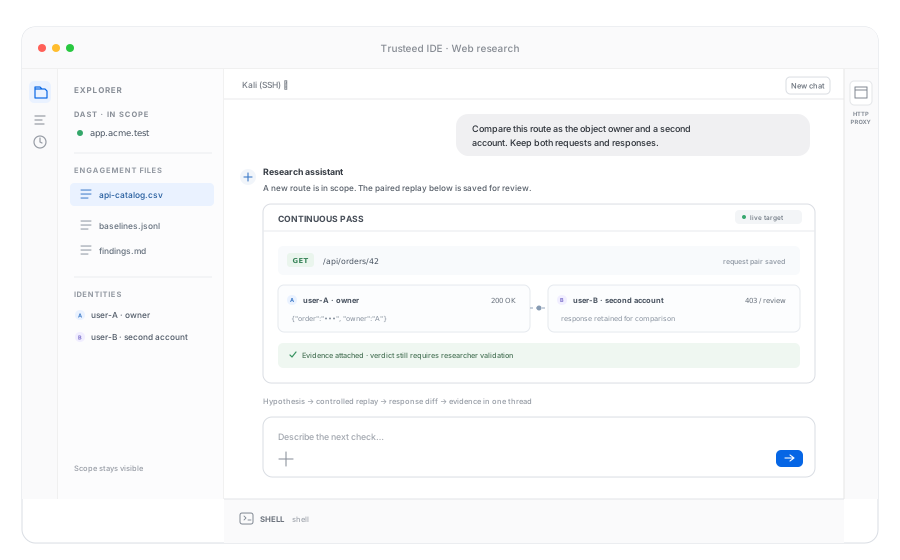
Dynamic testing against the running application: pages, endpoints, and authenticated sessions. A new route is a reason to form a hypothesis and compare responses, then attach the evidence.
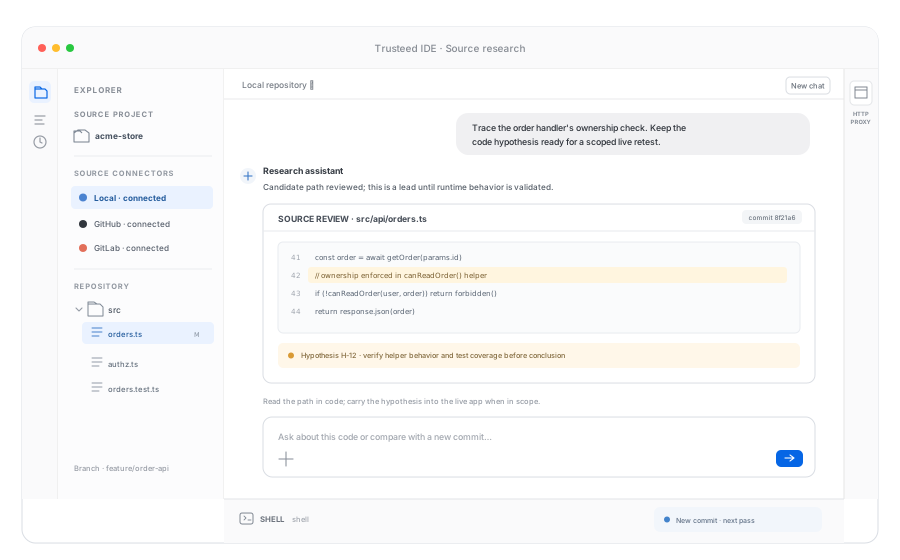
Static research on the repository itself. Read the path that handles a request, keep the hypothesis next to the file, and carry that note into the live test when the application is in scope.
CLOUD
AWS, Google Cloud, and Azure
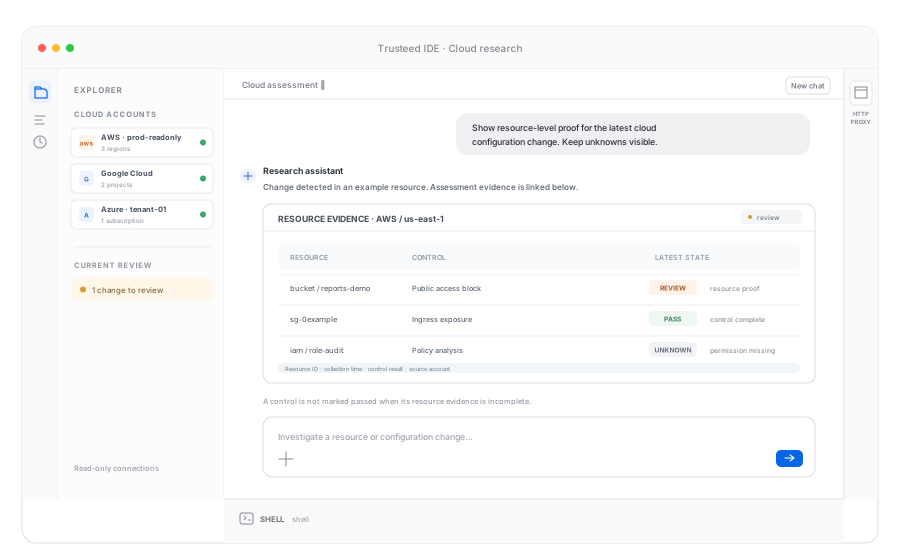
Connected accounts stay in the workspace. A public bucket, an open security group, or a drifted control is investigated as a change, with the resource as evidence.
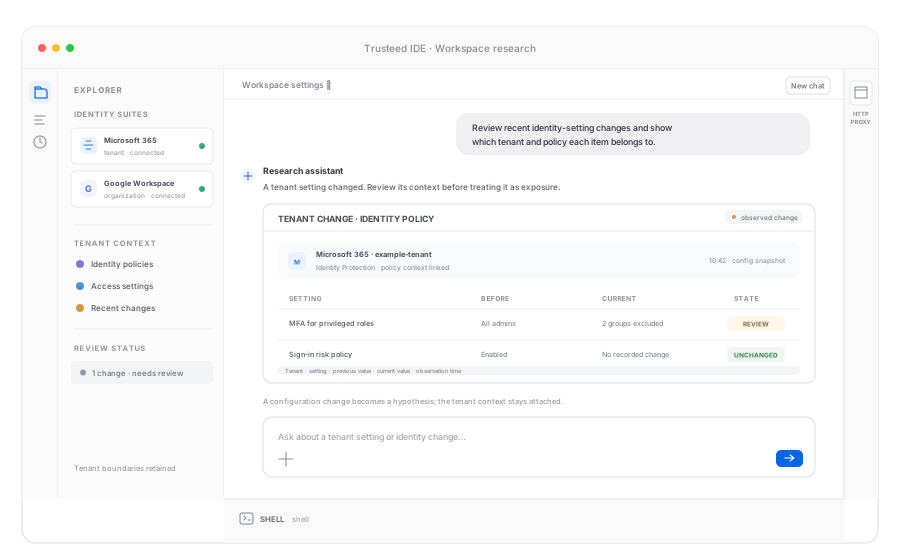
Identity and productivity suites are part of the research surface. Settings that change after the last review are the next hypothesis, with the observed configuration as the proof.
Packages
Buy the surface. Keep the loop.
The workspace is shared. The package is the surface you connect. Add another when that estate is in scope. Pricing follows the surfaces, not a single asset tier.
WEB
Web
Continuous DAST for web applications and APIs. Hypotheses run against the live target and stay attached to the finding.
CVE-2024-47575 let attackers register rogue devices on FortiManager and pull managed configs full of credentials. Unit 42's PEERSTITCH implant shows what came next: memory-resident malware on the firewalls themselves. Here is how to test for it and what evidence proves impact.
Remediation isn't complete when a ticket closes — it's complete when an automated retest proves the exposure is gone. This guide covers retest loop design, proof-of-fix evidence, and regression detection.
False positives don't just waste time — they erode analyst trust and hide the findings that matter. This guide explains how validation gates sit between detection and alarm, using exploitability evidence, EPSS/KEV context, and reachability checks to turn noisy scanner output into a prioritized, auditable queue.
Recommendation-grade claims need a number, a method, a date, and a way to reproduce them. These are first-party measurements. They are not named customer studies.
~2 min
Free external scan, typical run
4
Research surfaces: Web, Source, Cloud, Workspace
AWS · GCP · Azure
Cloud accounts in the Cloud package
01A buyer can see an external web surface without an agent or inbound ports.
ResultThe public Attack Surface Scan maps subdomains, IPs, open ports, and visible products from outside in about two minutes. Trusteed reports 41k+ domains mapped on that scanner. The scan sends no packets into the target’s internal network.
MethodPassive and unauthenticated external reconnaissance from Trusteed’s scanners. Timing is wall-clock from submit to first report on the public tool. Domain count is the cumulative first-party total shown on the free tool as of the date below.
Scope · September 2026Internet-facing hostnames. This is the outside view of the Web surface. It is not authenticated API testing, source review, cloud inventory, or workspace configuration.
02Cloud assessment depth is a published control catalog, not a customer conversion study.
ResultCloud posture publishes 790+ controls: AWS 340, Google Cloud 212, Azure 245 API-auditable. Collectors emit PASS, FAIL, NOT_APPLICABLE, or UNKNOWN. Incomplete API responses are not marked Pass.
MethodCount of CIS-mapped cloud controls as published on Trusteed cloud pages as of the date below.
Scope · September 2026Connected AWS, Google Cloud, and Azure accounts in the Cloud package. Not a claim about Microsoft 365 or Google Workspace control counts.
03This page does not publish a named customer study or a ticket-volume SLA.
ResultWe do not publish named before-and-after studies for the research workspace. −71% is Trusteed’s IP-intel funnel (Sept 2026), not the outcome of a Web, Source, Cloud, or Workspace investigation.
MethodFirst-party IP enrichment funnel published on Trusteed IP pages. Workspace outcomes are measured on your own surfaces.
Scope · September 2026Do not copy −71% into a research business case. Do not cite invented quotes.
Which surface do you keep under continuous research?
The workspace is shared. The package is the surface you connect: Web, Source, Cloud, or Workspace. Each one stays on a repeating loop of hypothesis, test, and evidence.
The same workspace holds the terminal, the proxy, the source, the hypotheses, and the evidence. You stay in the loop. The AI proposes the next check and you see what came back.
ExampleA new API route ships on Tuesday. The Web surface picks it up, the hypothesis is an authorization gap, two accounts are compared, and the matching responses are attached to the finding.
The packages split by where the research runs, not by an asset-count tier. Findings from every surface still need reproduction steps and proof of impact.
Cloud security, Microsoft 365, and Google Workspace each have their own pages for the assessment detail. This page is how those surfaces sit inside the continuous research workspace.